
 |
Table of Contents
- 1.1. Article assignment (initial filling of LinkDB)
- 1.1.1. Start
- 1.1.2. User interface and processes at a glance
- 1.1.3. Create catalog from CSV file
- 1.1.4. Manual assignment
- 1.1.5. Dimension search - Automated assignment by standard information such as Standard number, dimension, material, etc.
- 1.1.6. Article Number Search - Automated assignment by order number
- 1.1.7. Attribute mapping
- 1.1.8. Global text mapping
- 1.1.9. LinkDB export (Directly or via CSV file)
- 1.1.10. LinkDB Import
- 1.1.11. Functions, settings and symbols
- 1.2. PLM Synchro - Create your company parts catalog
- 1.2.1. Overview
- 1.2.2. Basic setup via wizard
- 1.2.3. Distributed services
- 1.2.4. Units
- 1.2.5. Scripting
- 1.2.6. PARTsolutions Exporter
- 1.2.7. Specific nodes
- 1.2.8. Tips & Tricks
- 1.2.8.1. PLM Synchro: Export report as file
- 1.2.8.2. Report node
- 1.2.8.3. XML writer – XML reader
- 1.2.8.4. How to get attribute name
- 1.2.8.5. PARTsolutions Exporter
- 1.2.8.6. Query - Retrieve
- 1.2.8.7. Download (additional files)
- 1.2.8.8. Index update without Remote File System (RFS)
- 1.2.8.9. Interface Proxy Configuration moved from ifacecommon.cfg to pcadmanager.cfg
- 1.2.8.10. Custom algorithm
- 1.2.8.11. AppServer Service: Authentication - Assign rights - Rights
- 1.2.8.12. PARTapplicationServer Dashboard - Tasks
- 1.2.9. CAD/PDM specific characteristics
- 1.3. Structure/classify products
- 1.3.1. Overview
- 1.3.2. Create new catalog
- 1.3.3. Import catalog
- 1.3.4. "Attributes" category
- 1.3.5. "Products" category
- 1.3.6. "Structure" category
- 1.3.7. Classification Wizard
- 1.3.8. Semi automatic classing with the help of Training-Sets
- 1.3.9. Export to PARTsolutions
- 1.3.10. Configuration
- 1.3.11. Roles / Rights
- 1.3.12. Background information on mapping logic between PARTwarehouse and PARTsolutions
- 1.3.13. Troubleshooting
- 1.4. PARTdataCenter: Reference / General functions
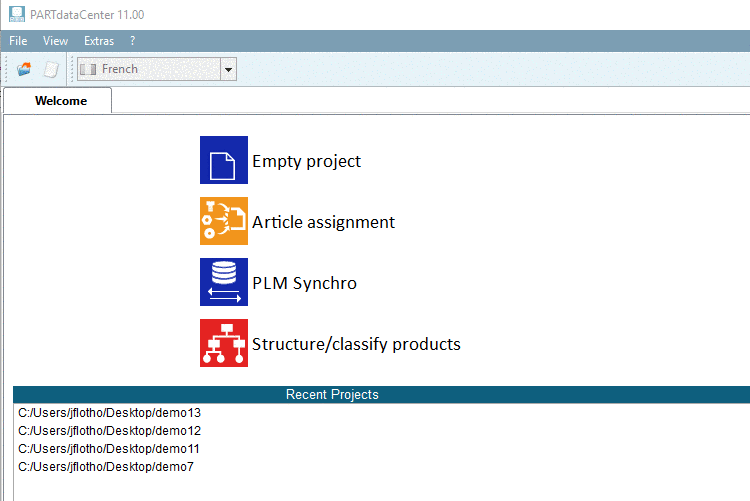
PARTdataCenter includes following functions / modules:
Article assignment (initial filling of the link database)
Do you want to enhance part selection for Strategic Parts Management?
Link your master data (material number, release status, material, surface, inventory, prices, etc.) with PARTsolutions catalogs.
Explanations on superordinated functionality like zu übergeordneten Funktionalitäten wie Pipeline, Dashboard, etc. finden Sie unter Section 1.4, “ PARTdataCenter: Reference / General functions”.